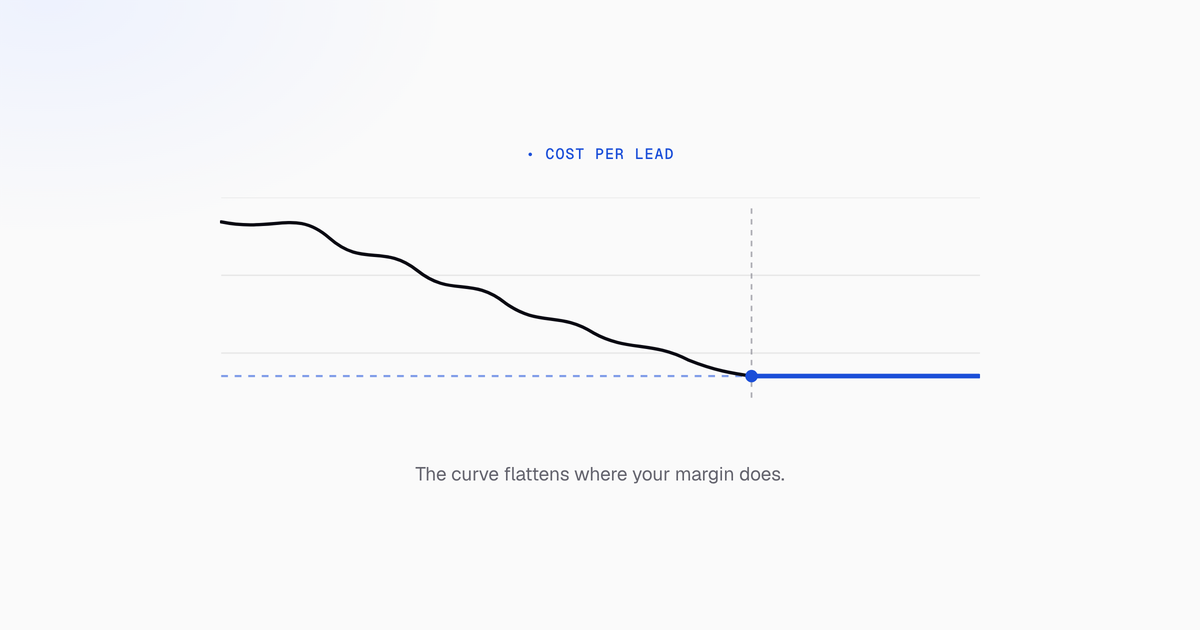
Cost per lead is the number a Google Ads account gets graded on. Below is the order we work an account in when that number is too high, with the actual settings and reports named. Work it top to bottom. Most of these changes depend on the ones above them being done first.
What cost per lead is, and what a good cost is for you
Cost per lead is total ad spend divided by leads. Spend $4,200, get 70 leads, and your cost per lead is $60. That’s the whole formula.
What counts as a lead is the part most accounts get wrong. A lead is a form submission from someone who fits, a phone call over 30 to 60 seconds, or a booked appointment. Not a page view, not a newsletter signup, not a form fill from anyone with a pulse. Sales has to agree the definition before you measure anything, or marketing and sales spend the next quarter arguing about two different numbers.
There is no universal good cost per lead, and any article that gives you one is guessing about your business. Yours falls out of arithmetic you already have:
- Start from gross profit, not revenue. If a customer is worth $400 in revenue at a 50% gross margin, that customer is worth $200 to you. Revenue is the number that makes a bad CPL look survivable.
- Multiply by close rate. Close 20% of leads and each lead is worth roughly $40 in gross profit. That’s your break-even ceiling. You want to buy leads below it.
- Close rate beats price. A $30 lead that closes at 1% is worse than a $120 lead that closes at 25%. This is why chasing a cheaper lead in isolation is a good way to lose money slightly faster.
Published industry averages are context. Your own math sets the number. For reference, the 2026 search advertising benchmarks from LocaliQ, drawn from more than 13,000 US search campaigns across 23 industries, covering April 2025 through March 2026, put the all-industry average cost per lead at $66.69, against an average cost per click of $5.42 and an average conversion rate of 8.18%. The spread is what matters more than the average: Restaurants and Food average $30.57, while Attorneys and Legal Services average $131.63. Notably, CPL fell overall for the first time in five years, and conversion rates improved in most industries, so cheaper leads came from better conversion rather than cheaper clicks.
Use it to sanity-check the number you calculated. Do not let it set one. If your math says $40 is your ceiling, a $66 industry average is not permission to pay $66.
Find where the ad spend is leaking
Open Campaigns, set the date range to the last 30 days (90 if weekly lead volume is low) and add these columns: Cost / conv., Conv. rate, Search impr. share, Impr. share lost (budget), and Impr. share lost (rank). Sort by cost, descending.
You’re sorting your account into three groups:
- High spend, high CPL. These go to the top of the work list. They’re where the money is.
- Decent volume, middling CPL. The real optimization targets. A modest improvement on a campaign with volume moves the account average more than fixing a small campaign completely.
- Low volume, good conversion rate. Worth asking whether they can absorb more budget. Not where you start.
Then read the two impression share columns, because they point at completely different fixes:
- Lost to budget means the campaign could show more often if you funded it. Underfunding a campaign that already produces good leads is a quiet and common mistake.
- Lost to rank means your bids or your ad quality aren’t competitive. That’s a relevance problem, and no amount of budget fixes it. The sections below do.
Work the list in cost order. Fixing the biggest leak first is what makes CPL move fastest.
Fix conversion tracking before you touch bids
Smart Bidding optimizes toward whatever you marked as a primary conversion, which is why tracking comes before bidding rather than after it. Point it at a thank-you page instead of at revenue and every bid decision downstream inherits that mistake. The full setup, including the tiering and the checks that catch a broken tag, is in Google Ads conversion tracking.
- Go to Goals > Summary. Move micro-conversions (page views, scroll depth, time on site, newsletter signups) out of the Primary column. Keep them as Secondary if you want them for reporting. Just don’t let them count toward the number the algorithm optimizes against.
- Primary conversions should be real leads only: qualified form submissions, calls over 30 to 60 seconds, booked appointments.
- Fire conversion tags on genuine thank-you pages through Google Tag Manager or the Google tag, and turn on Enhanced Conversions so first-party data improves match rates.
- Set up separate conversion actions per lead type: demo booked, quote requested, call completed. Later this lets you optimize toward the lead type that closes best rather than the one that happens most often.
The sequencing rule: don’t switch to Target CPA or Maximize Conversions on top of tracking you haven’t audited. Fix the signal, then hand over control. Handing an algorithm a bad definition of success just gets you to the wrong place more efficiently.
Tighten campaign and ad group structure
Tighter themes raise Quality Score. Quality Score is a discount on every click you buy. A cheaper click at the same conversion rate is a cheaper lead. That’s the mechanism, and it’s why structure work pays for itself before you’ve touched a bid.
- One campaign per service. Catch-all search campaigns mixing several services can’t be budgeted separately, so your best service subsidizes your worst.
- One theme per ad group, tight enough that a single ad is genuinely relevant to every keyword in it. If you can’t write that ad, the group is too broad.
- Separate branded, competitor, and generic campaigns. Branded traffic converts cheaply and, mixed into generic, flatters the average of everything around it. You need to see each one’s real number.
- Keep broad match in its own ad groups with tight negative coverage, so it can’t cannibalize your phrase and exact traffic.
Restructuring is usually the first work on a messy account, because Quality Score, bid strategy, and useful reporting all depend on the structure being sane.
Cut wasted spend: high-intent keywords, long-tail, and negatives
Commercial qualifiers are the cheapest filter you have. Someone searching “emergency ac repair near me” is closer to buying than someone searching “how does an ac compressor work,” and you pay the same for both clicks.
- Prioritize terms carrying intent: service, company, pricing, quote, near me, consultation, demo. Long-tail keywords convert better because the searcher has already told you what they want.
- Pull the search terms report (Campaigns > Insights and reports > Search terms) for the last 30 days and sort by cost. This is where waste becomes visible instead of theoretical.
- Pause or cut bids on terms with high cost per lead and low conversion rate, including on-topic informational queries that attract clicks and never buy.
- Add phrase-match negatives for the recurring patterns: jobs, salary, career, course, training, definition, DIY, free, template, and locations you don’t serve.
- Maintain shared negative keyword lists (careers, research terms, DIY and free) applied across campaigns, so one addition protects the whole account instead of one campaign.
The payoff is that budget stops flowing to queries that never convert and starts flowing to the ones that do. That lowers CPL without changing a single bid.
Match ads and landing pages to intent
A click from someone who was never going to buy is pure cost. Ad copy should qualify people out before they click, which feels counterintuitive until you remember you’re paying for the click either way.
- Say who the offer is for in the headline: “for B2B SaaS,” “commercial only,” “minimum project $5,000.” Poor-fit searchers self-select out before they cost you anything.
- Include pricing context where it fits. Fewer clicks at a higher conversion rate is a lower cost per lead.
- Send every ad group to a dedicated page, not the homepage, with the H1 echoing the keyword theme. The homepage answers a question nobody asked; the searcher clicked on something specific and should land on it.
What the page needs: a clear value proposition above the fold, a form short enough that every field earns its place, click-to-call on mobile, real proof, and a load time that doesn’t lose the visitor before the page paints. Strip the site navigation from campaign pages. Every link that isn’t the form is an exit.
The arithmetic is worth stating plainly, because it’s the reason this section exists. Cost per lead is spend divided by leads. Raise the conversion rate on the same traffic and CPL falls proportionally, with no change to spend and no change to bids. Nothing else on this list improves CPL without spending more or giving up impression share.
Change one thing per test, or the winner is unattributable. And give a test enough conversions to mean something before you call it; ending a test early because the first day looked good is how accounts accumulate changes that never actually worked.
Raise Quality Score to lower cost per click
Quality Score is a keyword-level diagnostic with three inputs: expected CTR, ad relevance, and landing page experience. It isn’t a score to chase for its own sake. It’s a map of where you’re overpaying.
- Add the Quality Score, Exp. CTR, Ad relevance, and Landing page experience columns at keyword level, then sort by highest spend with the lowest scores. That ordering is what makes the work worth doing. A bad score on a keyword spending $12 a month is not a problem.
- Expected CTR: more specific responsive search ads, two or three genuinely different headline angles per ad group.
- Ad relevance: mirror the core keyword in at least one headline and one description. Tight ad group theming is what makes this possible without writing nonsense.
- Landing page experience: message match, mobile performance, and no distracting navigation.
Quality Score gains show up over weeks rather than overnight, and they lower CPC across the account rather than fixing one campaign.
Assets, which used to be called ad extensions
Ad extensions are now called assets in the interface. Assets earn more clicks from the same impression, which is why they belong in a section about paying less per lead.
- Sitelinks to pricing, case studies, and consultation pages, catching different intent states from one impression.
- Call assets with call hours set, so phone leads reach a person instead of voicemail.
- Structured snippets naming concrete service categories.
- Location assets where geography is part of the decision.
Choose a bidding strategy your data can support
Bidding is a real lever, but only when the algorithm has enough to learn from. Handing automated bidding a campaign with three conversions a month doesn’t optimize anything. It just adds variance.
- Under roughly 15 to 30 conversions in 30 days, stay on Manual CPC or Enhanced CPC. You keep direct control while volume builds. Google’s own guidance on Target CPA points at about 30 conversions in the preceding 30 days before the strategy has enough to work with. Below that you’re not optimizing, you’re adding variance.
- While on manual control, use the Locations, Ad schedule, and Devices tabs to adjust or exclude outright: geographies that never convert, hours when lead quality is consistently poor, device types running a high CPL.
- Tighten location targeting to “Presence: People in or regularly in your targeted locations” rather than presence or interest. The default quietly buys clicks from people who merely searched about your area.
- For higher volume, start Target CPA close to your actual recent CPL and tighten gradually, on the order of 10 to 15% every couple of weeks. Setting an aspirational target immediately starves delivery, and a campaign that stops serving doesn’t produce cheaper leads. It produces fewer. Expect a learning period of roughly one to two weeks after each change, and resist editing the target inside it. Every edit restarts the clock.
- Maximize Conversions with a bid cap suits tight budgets with frequent conversions. Underfunding automated bidding tends to raise CPL rather than protect it. As a rule of thumb we want daily budget at roughly two to three times target CPA before we trust it to learn.
Remarketing and audience lists are usually cheaper per lead than cold traffic, because the audience has already shown interest. Worth building before you spend more on prospecting.
Improve lead quality, or a lower CPL won’t help revenue
Cheap leads that never close aren’t a win. They’re the same problem wearing a better report, and they’re how a marketing team ends up defending a great-looking dashboard to a sales team that isn’t closing anything.
- Add one or two qualification questions to forms: budget band, company size, timeline, location. Fewer, better leads is the goal.
- Mirror your CRM’s qualification fields in lead form assets rather than collecting name and email and hoping.
- Score leads in the CRM so you can compare cost per raw lead against cost per qualified lead. These two move in opposite directions more often than people expect: tighter qualification raises the raw number and lowers the one that matters.
- Import offline conversions so closed-won data flows back into Google Ads. This is the change that most often resets what an account is actually chasing, because Smart Bidding starts optimizing toward customers instead of form fills. It takes cooperation from whoever owns the CRM, and it’s worth the meeting.
Cost per qualified lead, or cost per opportunity, is the number worth reporting whenever you can calculate it.
The operating cadence
None of this is a one-time cleanup. A monthly rhythm that works:
- Week 1. Search terms report. Add negatives. Remove waste.
- Week 2. Bids and budgets against the latest conversion data.
- Week 3. One test: an ad, a headline, a form length.
- Week 4. Review CPL and lead quality with sales. Compare cost per raw lead to cost per qualified lead.
Track a small set: cost per lead, cost per qualified lead, conversion rate, click-through rate, and the share of spend going to high-intent keywords.
Document every change with the date, what changed, and what you expected it to do. When performance shifts three weeks later, you need to read change history against the numbers, or you’ll quietly undo a win you never understood.
None of this works as a one-off project. The accounts that get cheaper are the ones somebody actually reads.